
If you want to learn how to sell websites to local businesses, the hardest part isn’t design. The challenge is finding the right prospect, identifying a solvable problem, and starting a conversation without sounding like other designers.
Google Maps can help you solve that problem. Local searches reveal businesses in almost every niche, along with useful signals such as their website, phone number, location, category, rating and review count. Google confirms that customers discover nearby businesses through both Google Search and Google Maps, which makes this data useful for understanding a company’s current online presence.
The opportunity is not limited to businesses with no website. A company may already have a site that is outdated, difficult to use on a phone, missing clear calls to action or poorly connected to its Google Business Profile. These prospects can be easier to approach because they already understand that a website has value.
The most effective process is simple: find local businesses, qualify the best opportunities, create proof, conduct relevant outreach and follow up consistently. Here is how to build that process step by step.
1. Choose a Local-Business Niche
Avoid searching for every type of business at once. Choose one niche so your research, examples and outreach become more specific.
Good niches often share three characteristics:
- A new customer is valuable enough to justify investing in marketing.
- The business normally serves a defined city or service area.
- Its website can generate calls, quote requests, appointments or bookings.
Home-service businesses are a natural place to start. Roofers, plumbers, electricians, landscapers, HVAC contractors and cleaning companies depend on local visibility and incoming inquiries. Other possibilities include dentists, salons, fitness studios, accountants and legal practices.
Start with one niche and one city. Instead of looking for “small businesses,” search for “roofers in London, Ontario” or “plumbers in Austin, Texas.” This produces a focused list and makes it easier to compare businesses against direct competitors.
2. Find Prospects on Google Maps
Open Google Maps and enter your niche and city. Review each listing for obvious website opportunities.
The first signal is whether the business has a website link. A listing without one may be a prospect, but do not assume it is automatically a good client. Check its review count, rating, activity and business category. A well-reviewed company with a real customer base and no website can be more attractive than an inactive listing with no reviews.
Next, inspect businesses that do have websites. Look for visible issues such as:
- The page is difficult to use on a phone.
- The design looks dated or does not fit the business.
- The phone number or quote button is hard to find.
- The site lacks clear service and location information.
- Pages load slowly or contain broken elements.
- There is no obvious booking, estimate or contact path.
- Titles and descriptions do not explain the company’s service area.
Mobile usability deserves special attention. Google primarily uses the mobile version of a site’s content for indexing and ranking and recommends responsive design as the easiest pattern to implement and maintain. You can reference Google’s mobile-first indexing guidance when explaining why a modern mobile experience matters.
Manual research works, but it becomes slow when you must open dozens of listings and websites individually. GMB Lead Finder helps organize this stage by searching a niche and city, collecting local-business results and highlighting website opportunities in one dashboard.
3. Qualify Leads Before Contacting Them
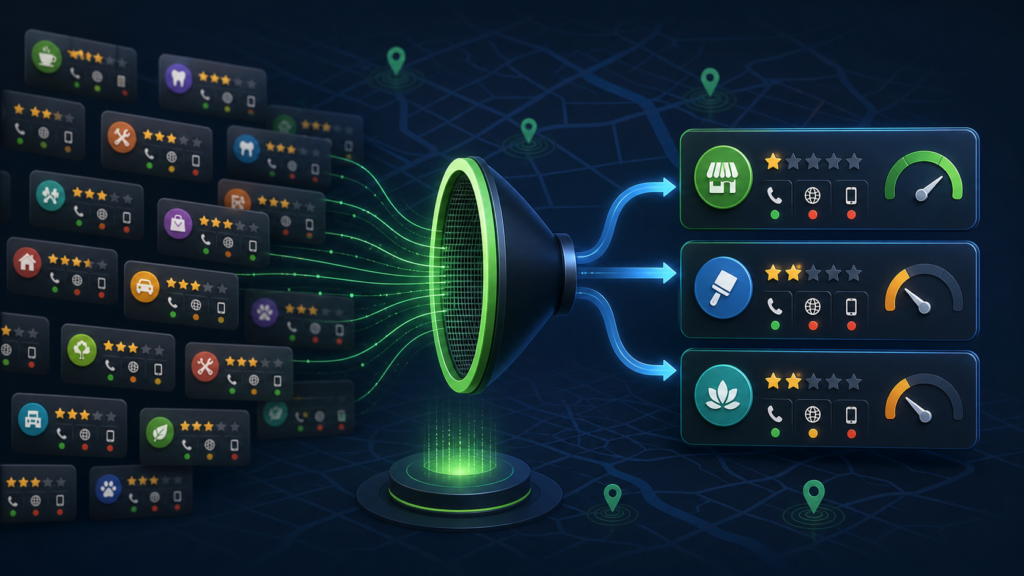
A large list is not necessarily a good list. Your goal is to identify businesses where the visible problem, potential value and ability to invest appear to overlap.
Use a simple scoring system. Give greater priority to businesses with:
- No website or a clearly weak website
- A working public phone number or appropriate business email
- Consistent, recent customer reviews
- A service where one new customer has meaningful value
- A clear geographic market
- An obvious improvement you can demonstrate
Review count can be a useful indicator of an established operation, but it should not be the only factor. A business with hundreds of positive reviews may already have strong demand and simply need a better way to convert online visitors. A newer company may be motivated to grow but have a smaller marketing budget.
Avoid contacting every listing with the same message. Choose a smaller group of qualified prospects and document one specific observation for each business. Relevant outreach usually outperforms volume because it gives the recipient a reason to believe you actually reviewed the company.
4. Lead With Proof, Not a Generic Pitch
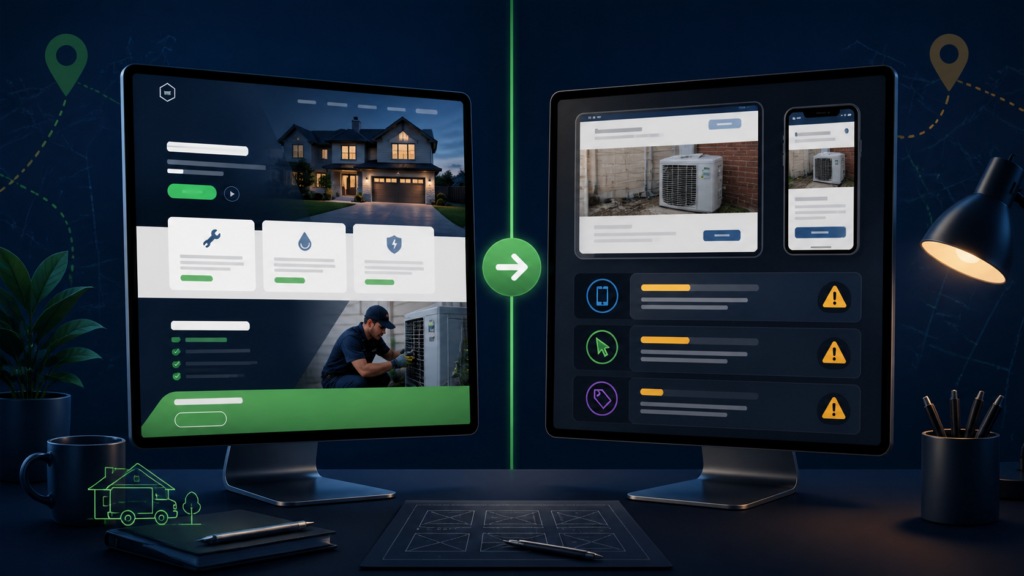
“I build websites” is easy to ignore. A personalized observation or visual example gives the prospect something concrete to consider.
Use two different approaches depending on the business.
For a business with no website
Create a personalized homepage mock-up showing how the business could present its services, reviews, service area and primary call to action. This is a preview, not a finished production website. Label it honestly and use it to begin a discussion.
The mock-up should answer four questions immediately:
- What does this company do?
- Where does it operate?
- Why should a customer trust it?
- What should the customer do next?
For a business with a weak website
Create a short audit identifying the most important issues. Focus on business impact rather than technical jargon. For example, explain that a buried phone number may cost calls, or that an unclear mobile layout makes it harder for visitors to request a quote.
Do not overwhelm the owner with a twenty-page report. Three to five prioritized observations are enough to show expertise and invite a conversation.
Try GMB Lead Finder free to create and organize personalized mockups or audit reports for the prospects you select.
5. Write Value-First Outreach
Your first message should be short, specific and easy to understand. The objective is not to close a full website project immediately. It is to earn a reply or permission to continue the conversation.
Here is a simple email structure:
Subject: Quick website idea for [Business Name]
Hi [Name],
I came across [Business Name] while researching [type of business] companies in [city]. I noticed [one specific website issue or that no website was linked from the Google listing].
I put together a short [homepage preview/site audit] to show what I mean: [link].
Would you be open to a quick conversation about it?
Best,
[Your name]
[Business name and contact information]
The message works because it is based on a visible observation, provides something useful and asks for a small next step. Avoid making unsupported promises about rankings, revenue or guaranteed leads.
Follow applicable outreach laws and platform rules. Use appropriately obtained business contact information, identify yourself accurately and honor opt-out requests. Canadian senders should review the CRTC’s CASL guidance, while businesses contacting recipients in the United States should understand the FTC’s CAN-SPAM requirements. This article is practical marketing guidance, not legal advice.
6. Follow Up Without Becoming a Nuisance
Many prospects will not reply to the first message. They may be busy, overlook the email or intend to return to it later. A structured follow-up process keeps opportunities from disappearing.
A simple sequence might look like this:
- Day 1: Send the personalized preview or audit.
- Day 3: Ask whether they had a chance to view it.
- Day 7: Share one additional observation or improvement.
- Day 14: Send a polite final follow-up and close the loop.
Each message should add context rather than repeat the original pitch word for word. Stop contacting someone who opts out or asks not to be contacted.
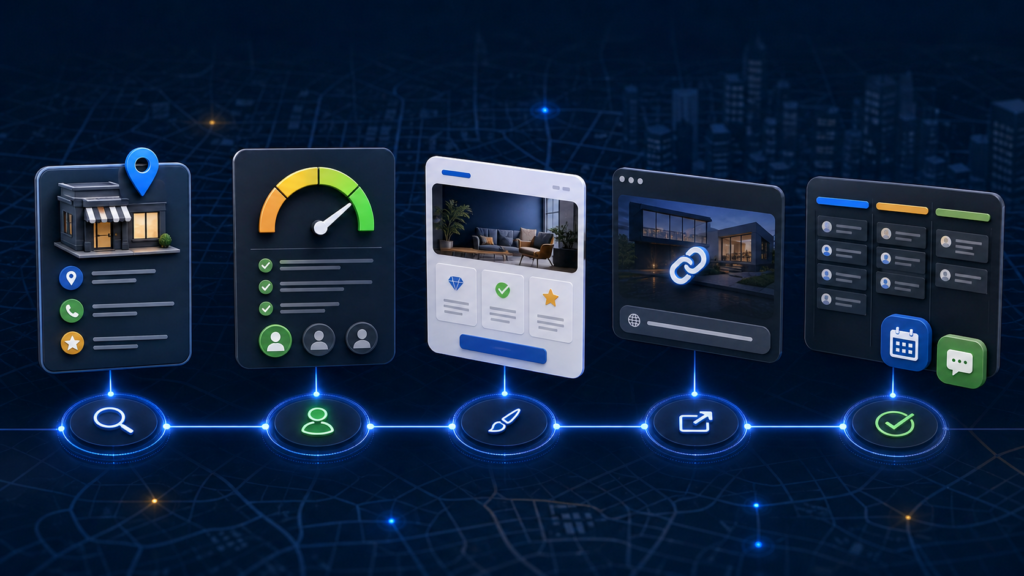
A CRM such as GoHighLevel can help record the contact, asset link, conversation status and next follow-up date. The key advantage is consistency: you can see which prospects are new, contacted, interested, booked or no longer active instead of trying to remember everything from an inbox.
7. Sell the Business Outcome
Local-business owners rarely wake up wanting a new collection of web pages. They want more calls, bookings, quote requests and customers.
Frame your offer around that outcome. A roofing company may need a fast mobile page that explains its service area and makes requesting an estimate easy. A salon may need online booking and service information. A dentist may need trust signals, clear treatment pages and an appointment request.
Connect every recommendation to a practical business goal. Instead of saying, “Your site needs a better navigation hierarchy,” say, “Mobile visitors currently need several steps to find the quote form. We can make that action visible immediately.”
This approach also helps you avoid competing only on price. You are not selling a generic template; you are proposing a clearer customer journey for a specific business.
8. Build a Repeatable Daily Workflow
Consistency matters more than collecting thousands of leads you never contact. A manageable daily workflow might be:
- Search one niche and city.
- Review ten to twenty businesses.
- Qualify the three to five strongest prospects.
- Create one or two personalized mockups or audits.
- Send relevant outreach.
- Complete scheduled follow-ups.
- Record replies and next steps in your CRM.
Measure the stages separately. Track how many searches produce qualified prospects, how many messages receive replies, how many replies become calls and how many calls become projects. If results are weak, improve the narrowest stage instead of simply increasing volume.
For example, a low reply rate may indicate that your opening message is too generic. A reasonable reply rate with few booked calls may suggest the offer or next step is unclear. Measurement turns prospecting into a process you can improve.
Common Mistakes to Avoid
The first mistake is treating every business without a website as a strong lead. Some owners rely entirely on referrals and do not want a website. Qualification saves time.
The second mistake is sending identical messages to hundreds of businesses. Personalization does not require writing an essay, but it should prove that you looked at the company.
The third mistake is presenting a mock-up as completed client work. Describe it as a concept or preview until the business approves a real project.
Finally, do not focus only on businesses with no website. Companies with dated or confusing websites have already invested in an online presence and may recognize the value of improving it.
Start Finding Web Design Clients
Learning how to sell websites to local businesses becomes easier when prospecting, qualification, proof and follow-up operate as one system.
Start with one niche and city. Use Google Maps to identify real businesses, prioritize the strongest opportunities and lead with a personalized mock-up or focused audit. Then follow up consistently and sell the business outcome—not simply the website.
GMB Lead Finder brings this workflow together by helping you find local-business prospects, evaluate website opportunities, create proof assets and prepare GoHighLevel follow-up. The hosted app is free to try and does not require a local installation.
Find → Qualify → Build → Publish → Follow up.
Frequently Asked Questions
How do I find local businesses that need a website?
Search a business category and city on Google Maps. Look for companies with no website link, an outdated site, weak mobile usability or an unclear contact path. Prioritize active businesses with genuine customer reviews and an obvious improvement you can demonstrate.
Should I only contact businesses without websites?
No. Businesses with weak websites may be better prospects because they already understand the value of an online presence. A focused audit can show where the current site may be losing calls, bookings or quote requests.
Should I build a website before contacting the business?
Build a lightweight mock-up or homepage preview, not a finished production website. The goal is to demonstrate an idea and start a conversation without investing excessive unpaid time.
How many prospects should I contact each day?
Start with three to five carefully qualified prospects. A small number of relevant messages with useful proof is usually a better learning process than sending large batches of generic outreach.
Can I automate the entire process?
You can automate research, organization and reminders, but keep human review before outreach. Confirm that the prospect is relevant, the contact information is appropriate and the message accurately reflects the business before sending anything.
Add recurring services only when they solve a client problem
A website project may lead to ongoing hosting, maintenance or lead-follow-up work. Define the outcome, setup tasks, support scope and usage charges before offering a monthly package. A recurring fee also creates an ongoing delivery obligation.
For a proposed lead-follow-up package, test form submission, contact creation, appointment booking, notification and opt-out handling before the client goes live. Record who owns the domain, customer data and account, and explain the handoff if the service ends.
If you are considering reselling software access, read our GoHighLevel SaaS Mode setup and margin guide. Compare the subscription, usage and add-on costs before setting your customer price. SaaS Mode is useful for a defined resale offer; it is not required merely to sell a website.
